Why Update Firmware
If a device is using the Managed Provisioning Portal, it is essential to ensure that the firmware is up-to-date to ensure proper functionality and connection of the device.
Version Selection
If you are unsure of the preferred firmware version, please refer to the device's manufacturer website.
Where to Update Firmware
- Log into the Managed Provisioning Portal.
- Go to the Customers menu.
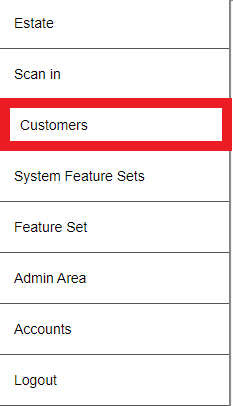
- Click on the desired Customer.
- Scroll down to the Devices section.
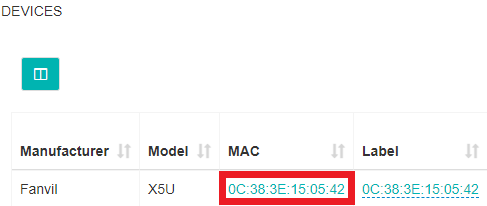
- Select the desired device by the clicking on the MAC address. The Device Details screen will appear.
- Scroll down to the Firmware Version option.
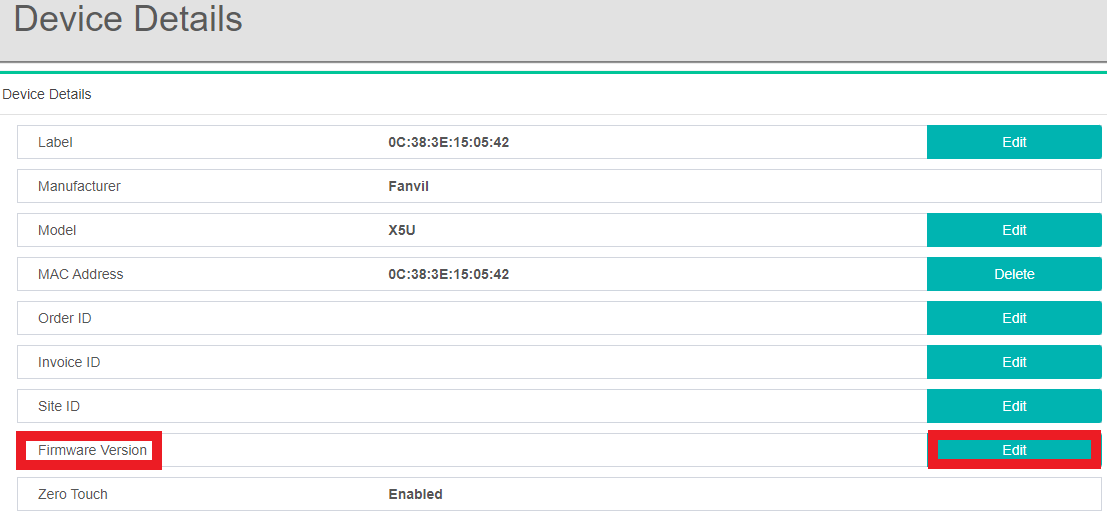
- Click on the Edit button. The Editing Firmware pop-up will appear.
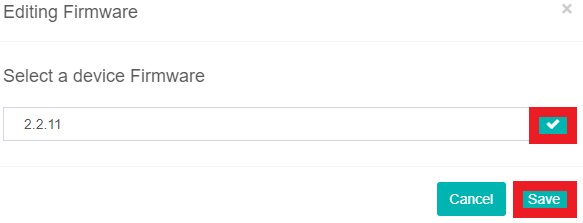
- Select the desired Firmware version.
- Click the Save button.
- Factory Reset the device to re-provision it.
When the phone device re-provisions, it will update the firmware.