Video Warning
The above video uses the 1stream desktop application which has been deprecated. The contents still apply to the 1stream Client Chrome Extension.
Adding New Numbers to an Existing Contact
- Login to 1stream.
- Go to the desired number listed in the call history that has matches listed.

- Click the Lookup text. The Lookup Contact pop-up will appear.
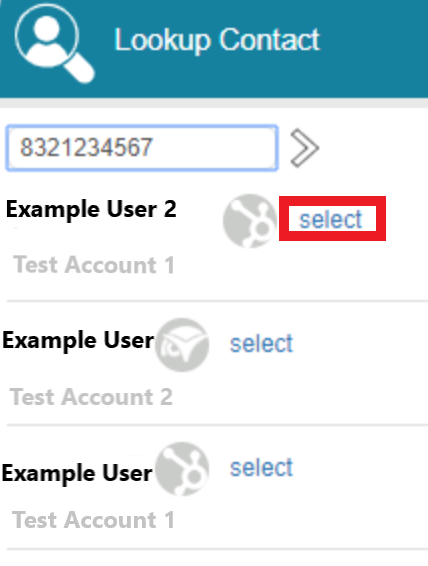
- Click on the Select text to tie the number to the desired contact. Another pop-up will appear to determine the preference for setting the number on the contact.
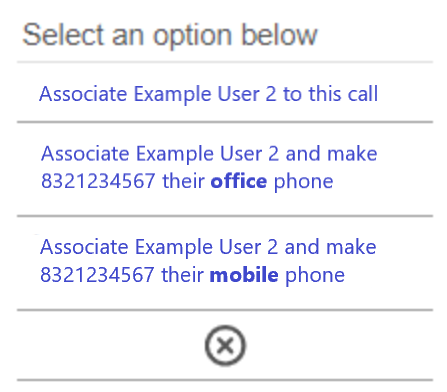
- Click on the desired preference to link the number to the contact. The page will then refresh with the contact's information.
The update will process through 1Stream and into the connected CRM(s). The number will reflect the contact in future calls.