Setting up the Security PIN in Syncro
- Log into SyncroMSP.
- Scroll up to the top menu.
- Click on the More option. A drop-down menu will appear.
- Select the Admin menu option from the drop-down.
- Scroll down to the Customers section.
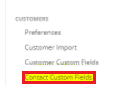
- Click on the Contact Custom Fields option.
- Click on the New Field button.
- In the Name field, input the text SupportPIN.
- In the Field Type drop-down, select the Text Field option.
- Click the Create Contact Field button.
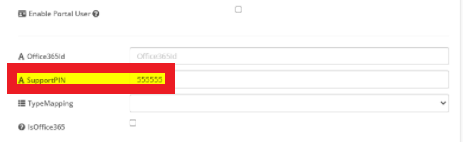
Once the PIN field is setup, it will then reflect in all SyncroMSP users so that Security PIN Routing can be setup as client add PIN numbers to their accounts.