Looking to Initially Associate a Call?
Please refer to our Associating Calls with Contacts in 1Stream article.
How to Reassociate a Call with a Different Contact
- Login to 1stream.
- Go to your Call History screen.
- Find the Call History record you wish to reassociate.
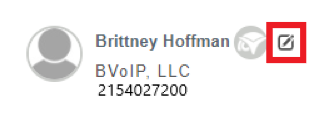
- Click the Edit button to the right of the Contact's name.
- The Lookup Contact pop-up will appear.
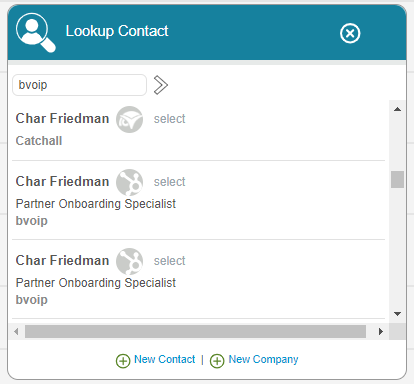
- Select the contact to be reassociated with this call.