Accessing the Downloads
- Login to the bvoip phone system.
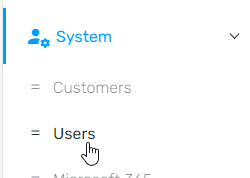
- Go to System > Users on the left hand side.
- Click on the Downloads button. A drop-down menu will appear.

- Select one of the options listed:
- Download Sample CSV for bulk user import - This file is for the creation of users in bulk.
- Download PBX users and IDs - This file contains the current information of all users and PBXes, providing the PBX ID and user details needed to bind when creating the user import CSV.
Intended Use
It is intended that with downloading both of these items that extensions from the phone system will be pulled with the PBX user and IDs to help fill in the Bulk User Import so that users can not only build out users in bulk, but also be able to set the user bindings at the same time.
Once the downloads have been used to fill out the Sample CSV for Bulk User Import, click on the Import Users button to select the CSV to upload your users.