Note Templates in 1stream
Ticket note templates are helpful, pre-written notes that can be included into an end user's ticket, internally or externally. The note templates will be written by your 1Stream Administrator.
Applying a Note Template
- Log into the 1Stream extension.
- Go to your desired contact to open the contact screen.
- Go to the Tickets tab.
- Click on the desired ticket name to open and update a ticket or click on the book icon to start a new ticket.
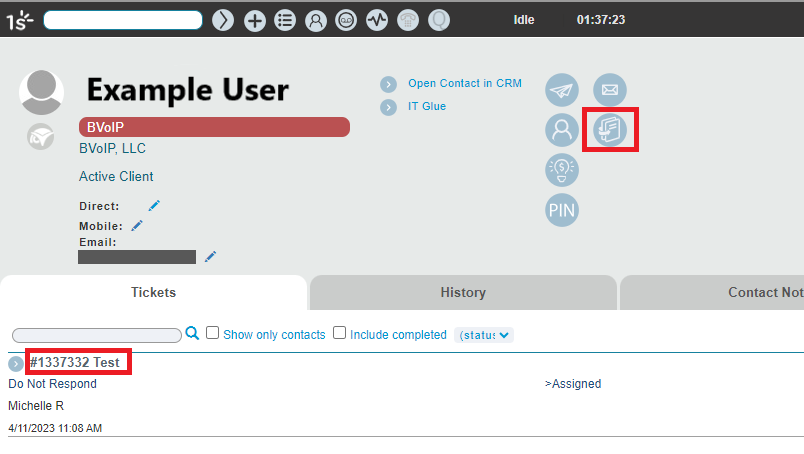
- Ensure all boards and time entries are fill out correctly in the ticket.
- Scroll over to the Notes section.
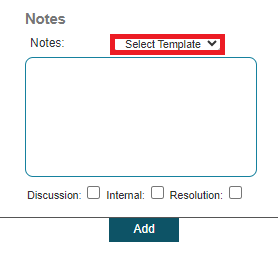
- Click on the Select Template drop-down to expand and display the Note Templates available.
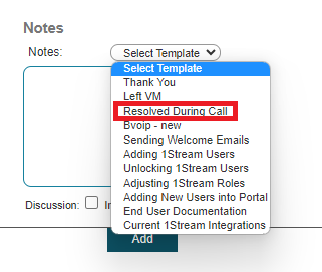
- In the Notes drop-down, select the desired note template.
- Select the desired section for the note to end up, note these values may differ depending on the connected CRM.
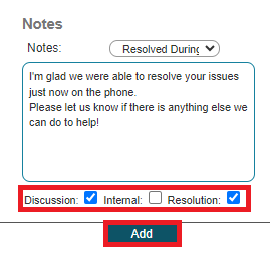
- Click the Save button. (For new ticket creation, it will be an Add button instead of Save. )