Queue Access Notice
Be sure before attempting to view queues in the softphone that you are listed as a queue manager or agent for the desired queues. If not, please see the following articles :
Where to Find the Call Queues
- Log into the 1Stream web client.
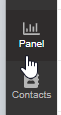
- Go to the Panel section.
- Click on All. A drop-down will appear with all of the Call Queues that your user manages or is an agent of.

Queue Selection Clarification
- Selecting a desired Call Queue will show the agents, agent queue status and any active calls in the selected queue.
- Selecting Queue Calls in the drop-down will show queue calls for all queues that your agent is enrolled in and any agents that are in the queues that they oversee.
- Selecting All will show company-wide agents and any live calls.
Logging In and Out
To log in or out of a queue, an extension must be assigned as an agent in the queue as shown in our Setting up Call Queue article.
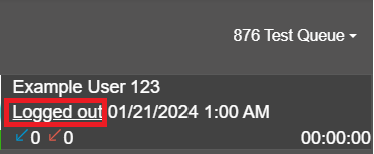
Once listed, they will have a logged in or logged out by their name. Click on it to switch the status.