What is a Voicemail Drop?
The Voicemail Drop feature in the 1Stream client allows call agents to create voicemail messages in advance and choose from a list of their pre-made voicemails to send when they reach a client's voicemail box.
Changing the Voicemail Drop Recording Extension
- Log into the 1Stream Admin Portal.
- Go to the Administration > Manage Organization menu in the top right.

- Scroll down to the Experience Settings section.
- In the VM Record Ext textbox, input the desired extension to be used.
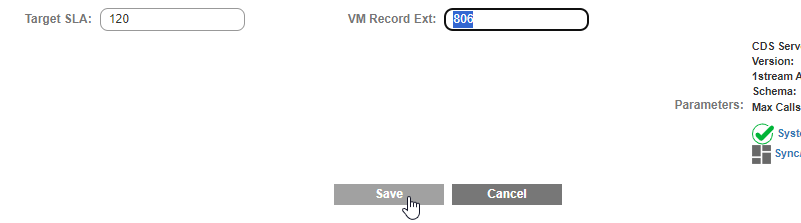
- Click on the Save button.
Once this is done, then the end users will be prompted in the 1Stream client to use the newly designated extension when creating voicemail drops.