Why Use a Team?
Teams can be created in 1stream to help users to limit certain views as determined by the Admin user.
Creating a Team
- Log into the 1stream Admin Portal.
- Go to the Administration > Manage Organization menu in the top right.

- Scroll to the Manage Teams section.

- Click the green circled + button. The Add New Team pop-up will appear.
- In the Title field, add the name of the Team.

- Click the Save button.
The Team group will appear in the refreshed screen.
Modifying Teams
After a Team Group has been added into 1stream, then users can be modified.
- Click the Team Name that needs modification.
- In the Edit Team pop-up that appears, click add or remove beside the users that should be included or excluded.
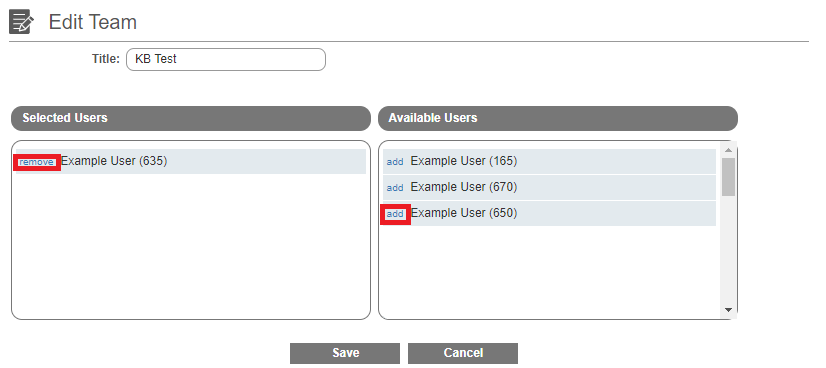
- Click the Save button.
The team group will be available with a drop-down at the top of the screen.